The software a server runs, put there properly and run from one place.
Every package is installed from its own repository as one job you can watch, secured on the way in, and then administered on a screen of its own. Nothing on the hub is a promise: a card is there because the tool behind it is built.
Websites
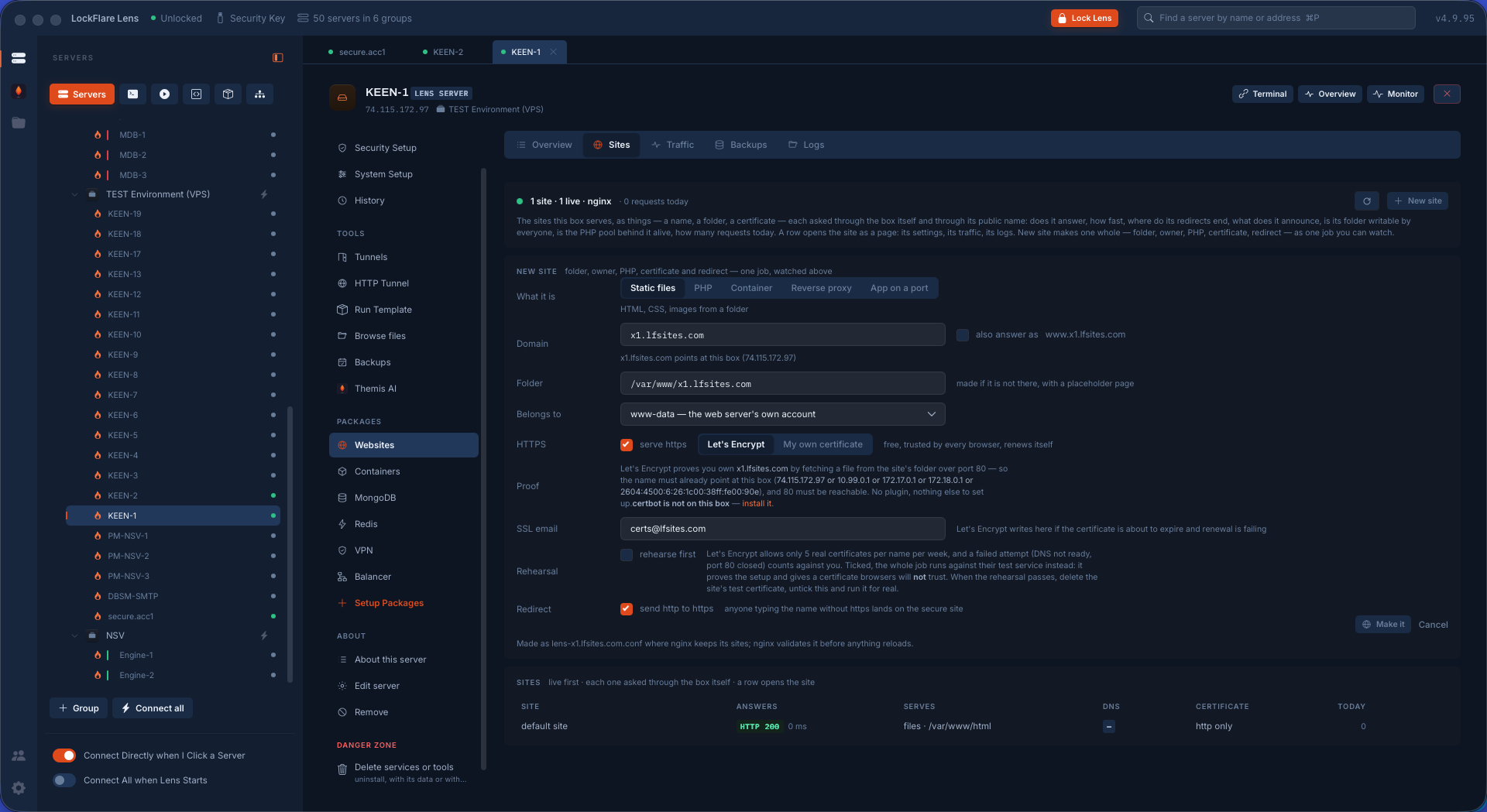
nginx or Apache, and from then on sites as things — a domain, a folder, whether it answers (asked through the box itself), the certificate it presents and for how long, its own logs. New site is one click and one job: static files, a PHP pool, a container, a reverse proxy, or an app on a port; folder, owner, certificate, redirect.
- Editing is inline. A Vigia-made site has its settings form and its file; any other site only its file — Vigia never rewrites what it did not make. A save asks whether to reload, and the bar says so until nginx has read the file.
- HTTPS from a certificate already on the box, from Let's Encrypt through the acme folder every Vigia site serves, or your own.
- Names and redirects, protection, traffic, backups and live logs per site.
Mail that earns a reputation
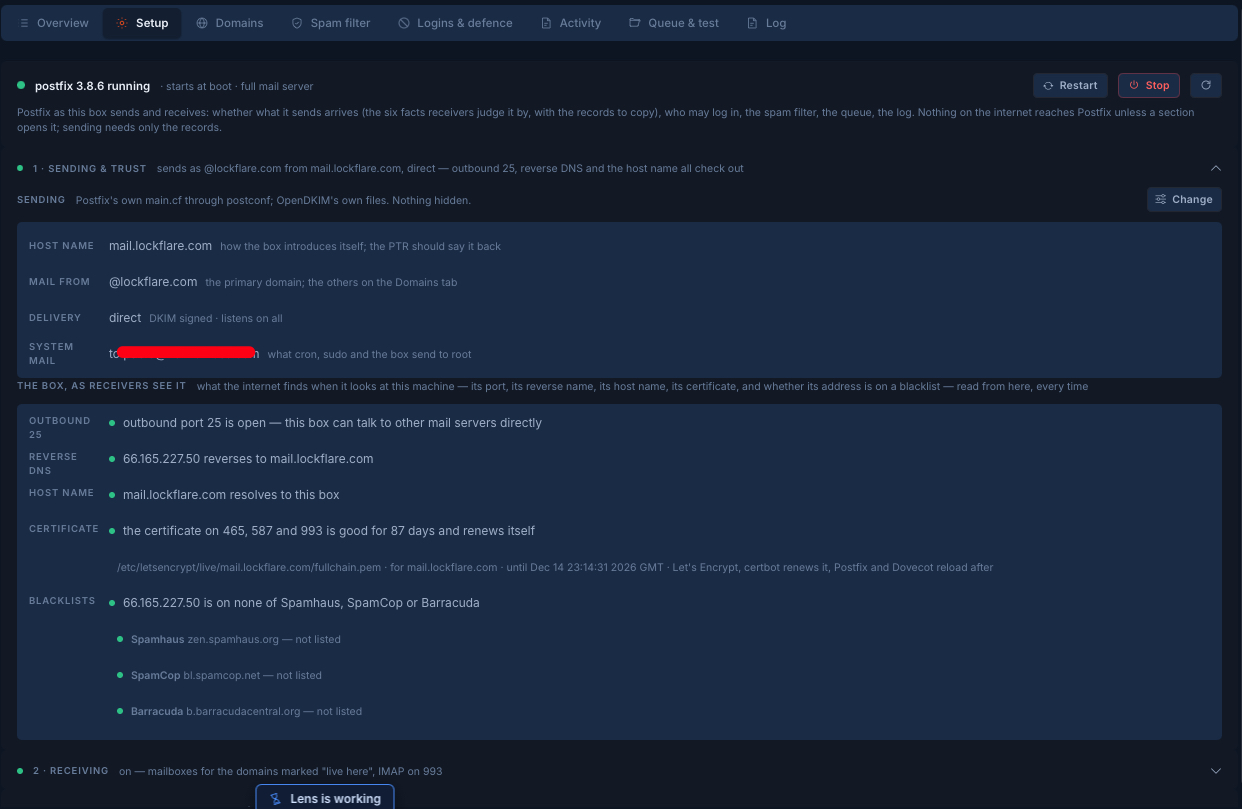
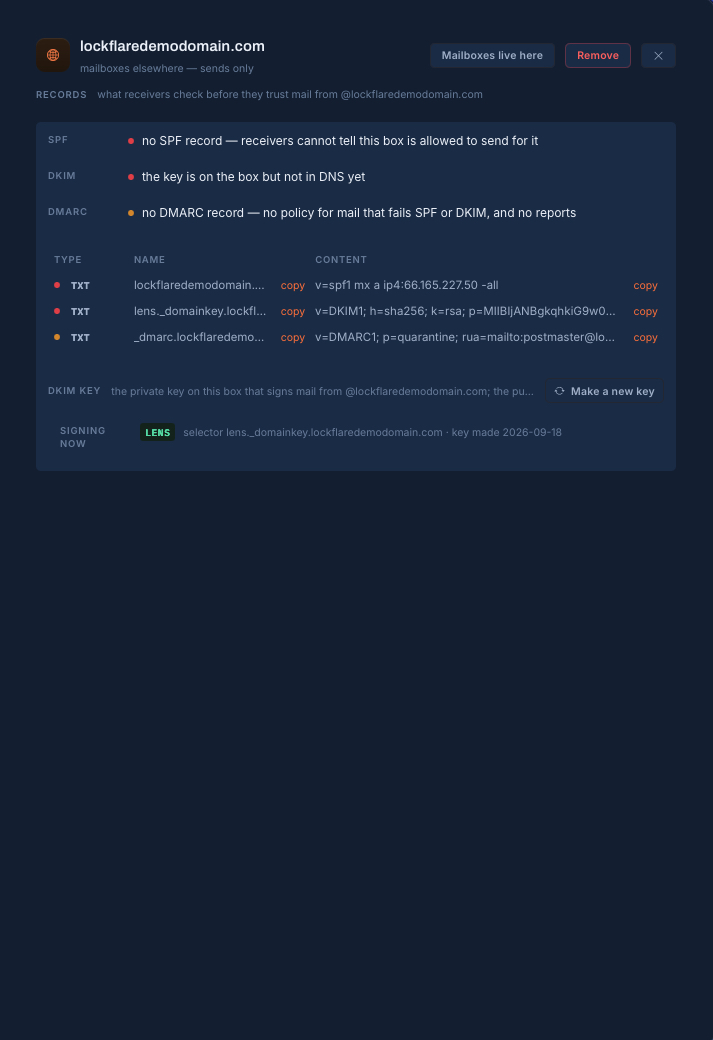
Mail is thirty percent software and seventy percent reputation, so Vigia reads the six facts a receiving server judges the box by — outbound 25, the PTR, the hostname, SPF, DKIM, DMARC — says each in words, and hands you the exact DNS records to copy, re-checked from the box until they are green.
- Send only: Postfix on loopback, DKIM signing, direct delivery or a relay — what an app server, a WordPress or an n8n needs. Who may send: its containers, other servers by address, logins on 587 behind TLS.
- Receiving: Postfix takes mail for your domains and hands it to Dovecot on 993; mailboxes, aliases, a catch-all, clients that set themselves up, rspamd, the jails.
- DMARC reports read for you: a collector mailbox per domain, the daily XML from Google, Microsoft, Yahoo and Apple parsed and folded by sending address, each named in words. The only place a domain owner sees who else is sending as them.
- DKIM keys rotated in three steps weeks apart. Mailboxes backed up, moved, migrated in.
FTP, for the one client that insists
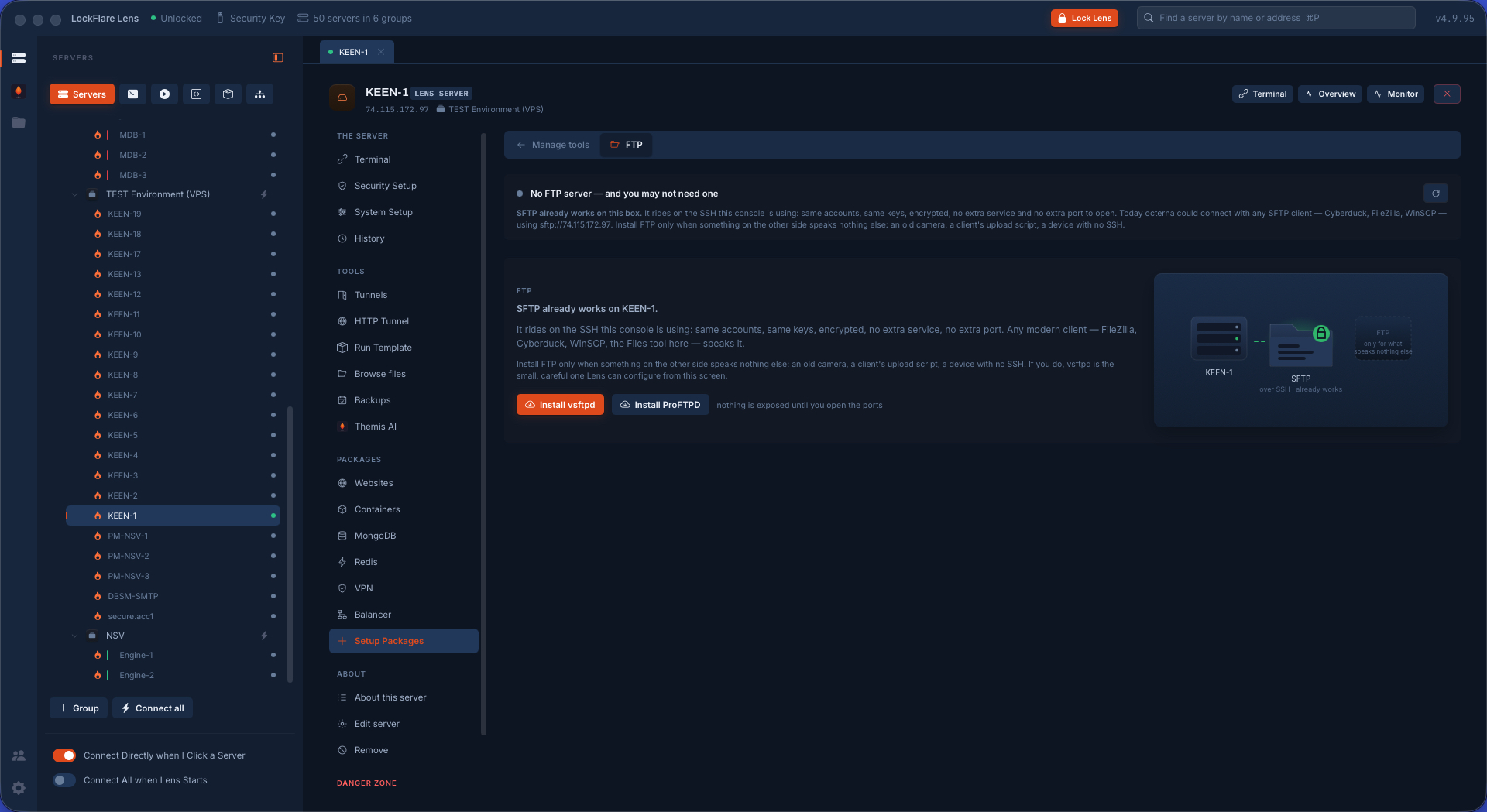
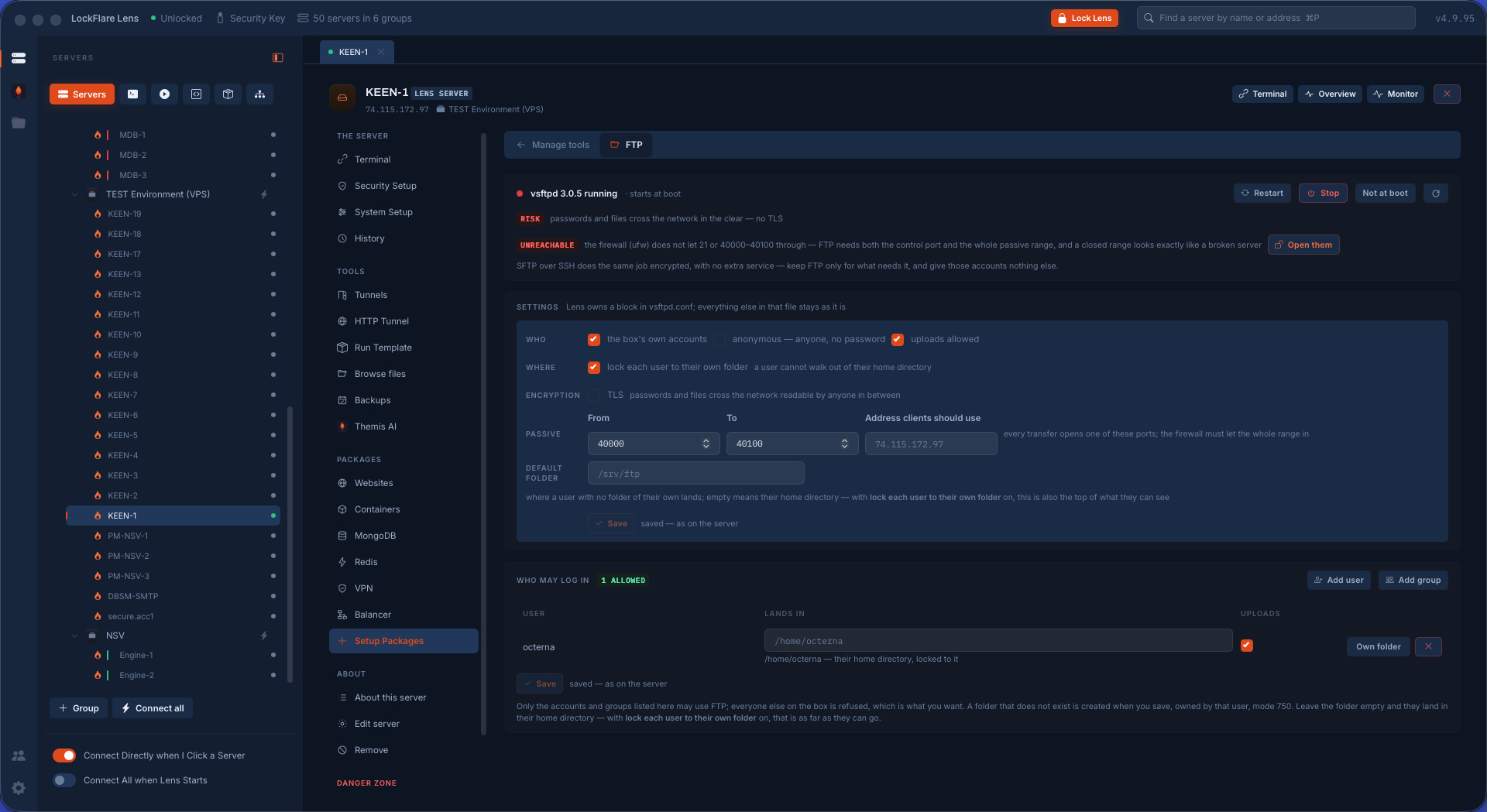
The screen says the honest thing first: SFTP already works over SSH, with no extra service and nothing to open. Install FTP only when something on the other side speaks nothing else — an old camera, a client's upload script, a device with no SSH. vsftpd is the small, careful one Vigia configures from the screen; ProFTPD the bigger one, installed and controlled from the same place. Then who may log in and where each lands, TLS, the passive range — and the warning that saves the afternoon: FTP needs the control port and the whole passive range through the firewall, and a closed range looks exactly like a broken server.
Containers
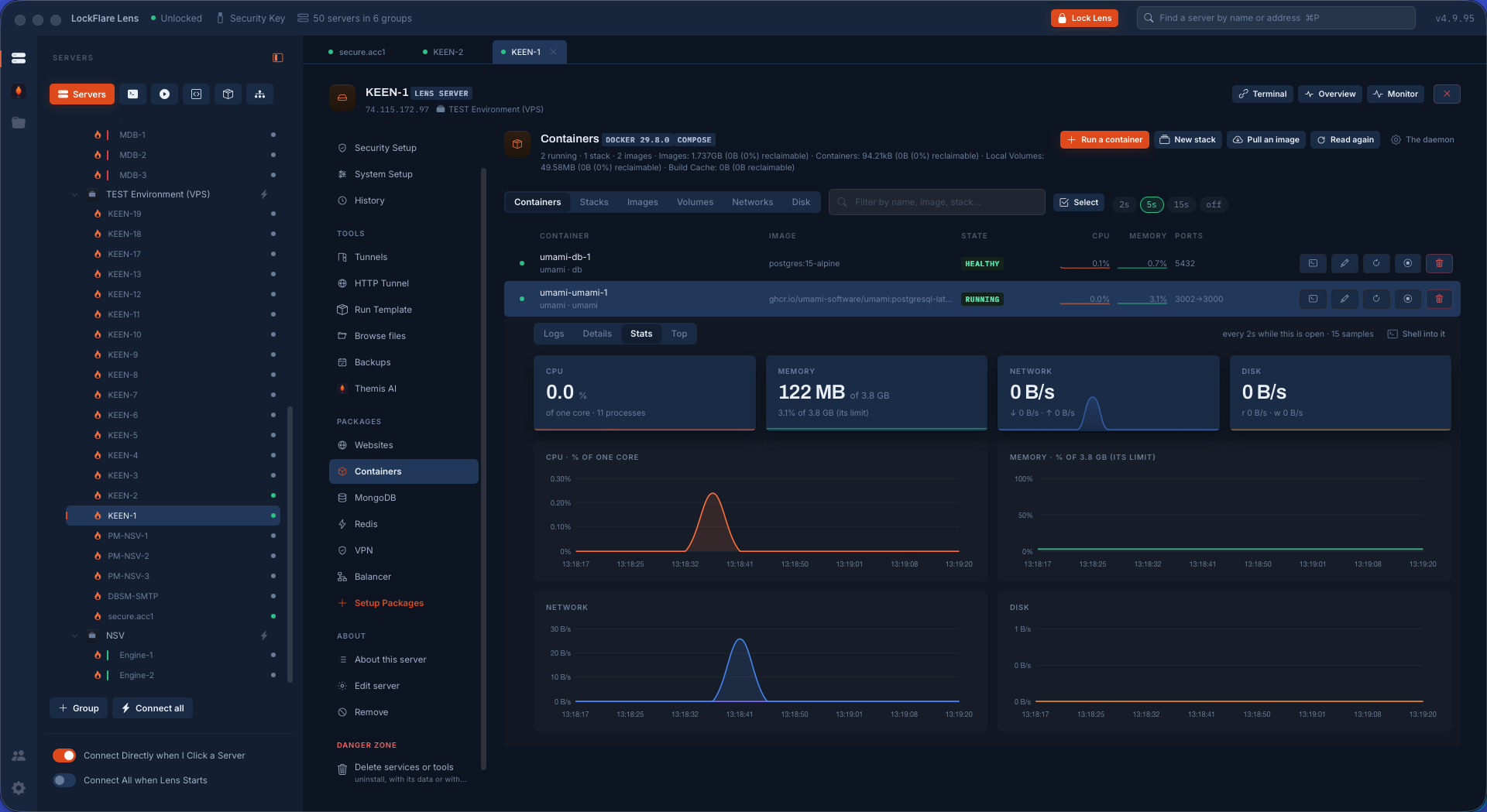
Docker from docker.com — the distribution's docker.io lags a year and ships no compose plugin — with compose and buildx, enabled at boot, a daemon.json seeded with log rotation and live-restore before the first start so no box set up here fills a disk with logs. The docker group offered, not assumed; the daemon's keys that decide whether the box is still standing in six months; the firewall fix, because Docker publishes past ufw unless told not to.
- Containers, stacks (pull and up, the update check, the editor), images, volumes in and out, networks, disk.
- The run form carries the long tail of docker run, one control a row. Any container reads back into it, or into the equivalent command line, and Recreate steps the old one aside until the new one is up.
- Ready stacks for a small developer: pick the app, answer the three things that matter, running — every secret in a mode-600 .env, databases bound to localhost, passwords generated, logs rotated.
Virtualization
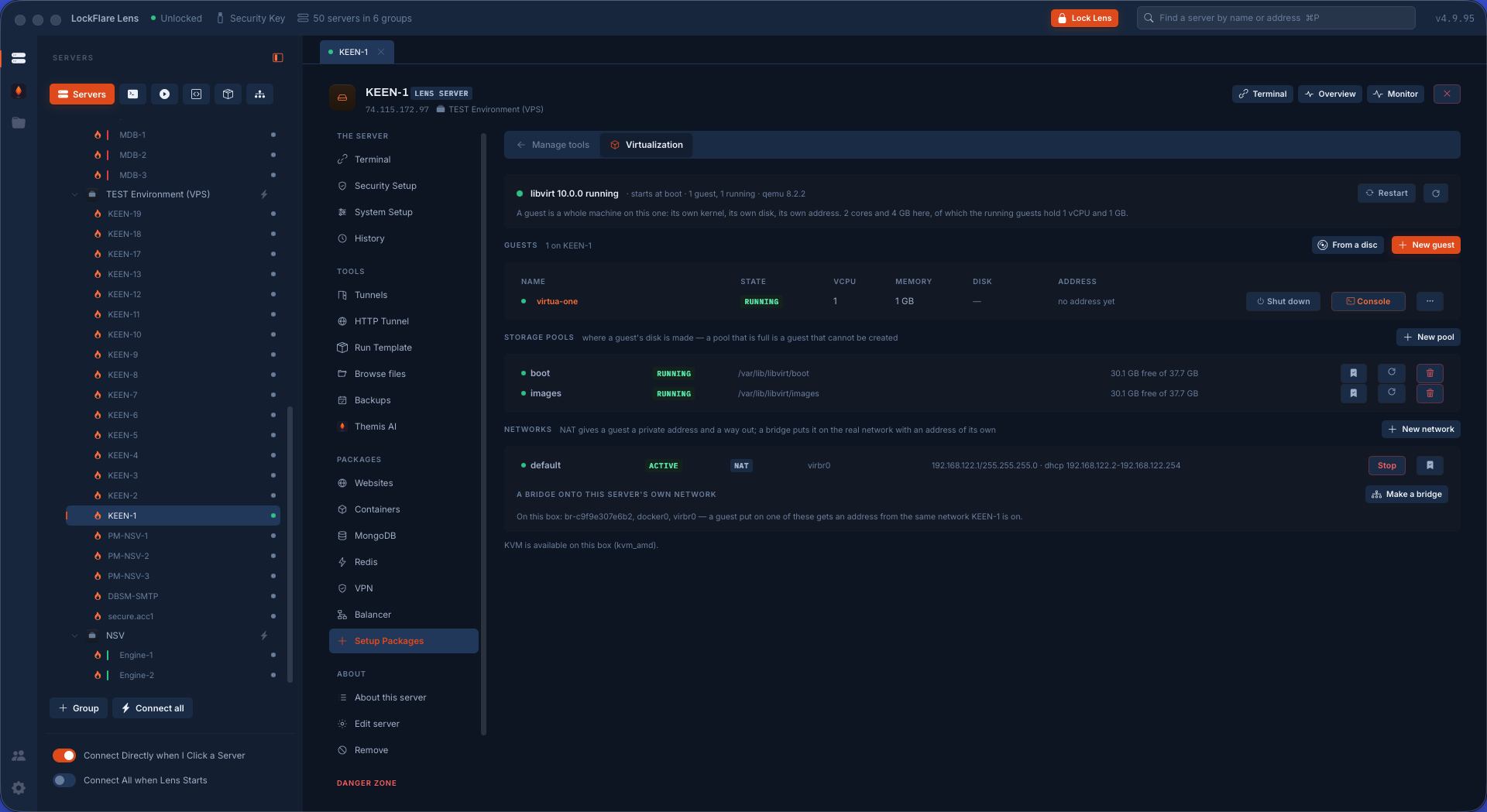
KVM with libvirt, or LXD and Incus. Readiness first and honestly: most VPSs cannot run KVM at all, and saying so before 400 MB of packages is worth more than anything below. Then guests as whole machines: created from a cloud image configured by cloud-init on first boot, or from an ISO with a screen reached through a tunnel; start, stop, snapshots, clone, resize, another disk or card added to the running machine and to its definition, the console over the serial port in a Vigia terminal.
Publishing a port is a feature and not a sentence of documentation, because it needs three things at once: the guest's address pinned, a forward that survives reboots, the host's firewall let in. A bridge that rewrites the host's networking goes through the same armed revert an address change does.
A private network between your boxes
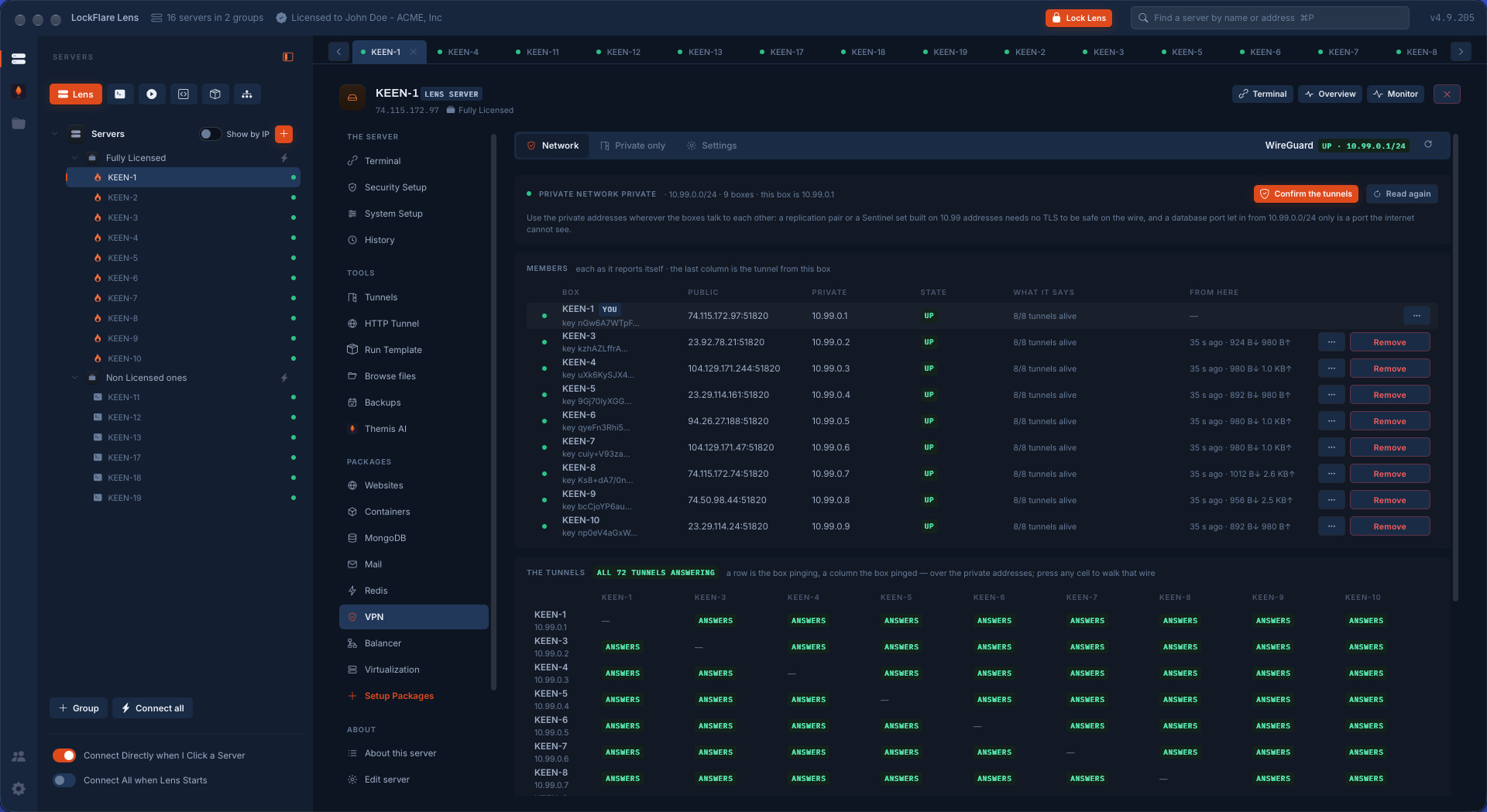
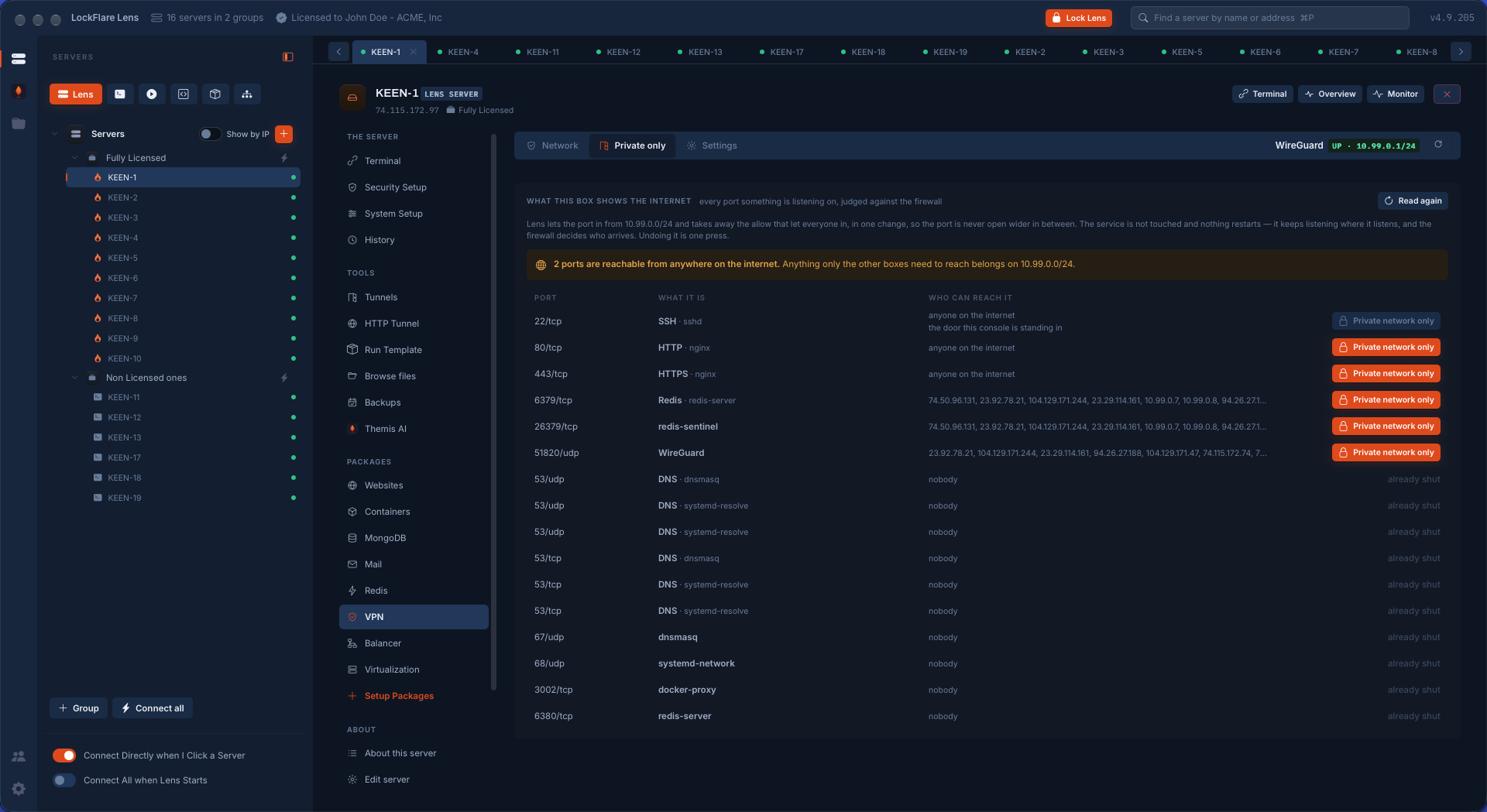
WireGuard as a mesh: every member gets a private address on one subnet and every other member as a peer, so replication, backups and admin traffic ride private addresses and nothing crosses the internet in the clear. Drop the boxes; one job on all of them at once makes the keys — the private half never leaves its box — brings up the interface, opens one UDP port between members, and pings every tunnel from both ends. Nine servers, all 72 tunnels answering, in 43 seconds.
- Private only: every listening port with who can reach it, and one press that lets it in from the private network and shuts it to the internet — one firewall change, no restart.
- The MTU measured on every wire instead of guessed, a preshared key per pair, and a member's key rotated with every other box rewritten for it.
- Your own machine as a peer: a key pair made in Vigia, the public half given to every box, the private half written once into a file you keep. Vigia keeps no copy.
- The private addresses are offered by default when you build a database set, a SQL pair or a Sentinel set.
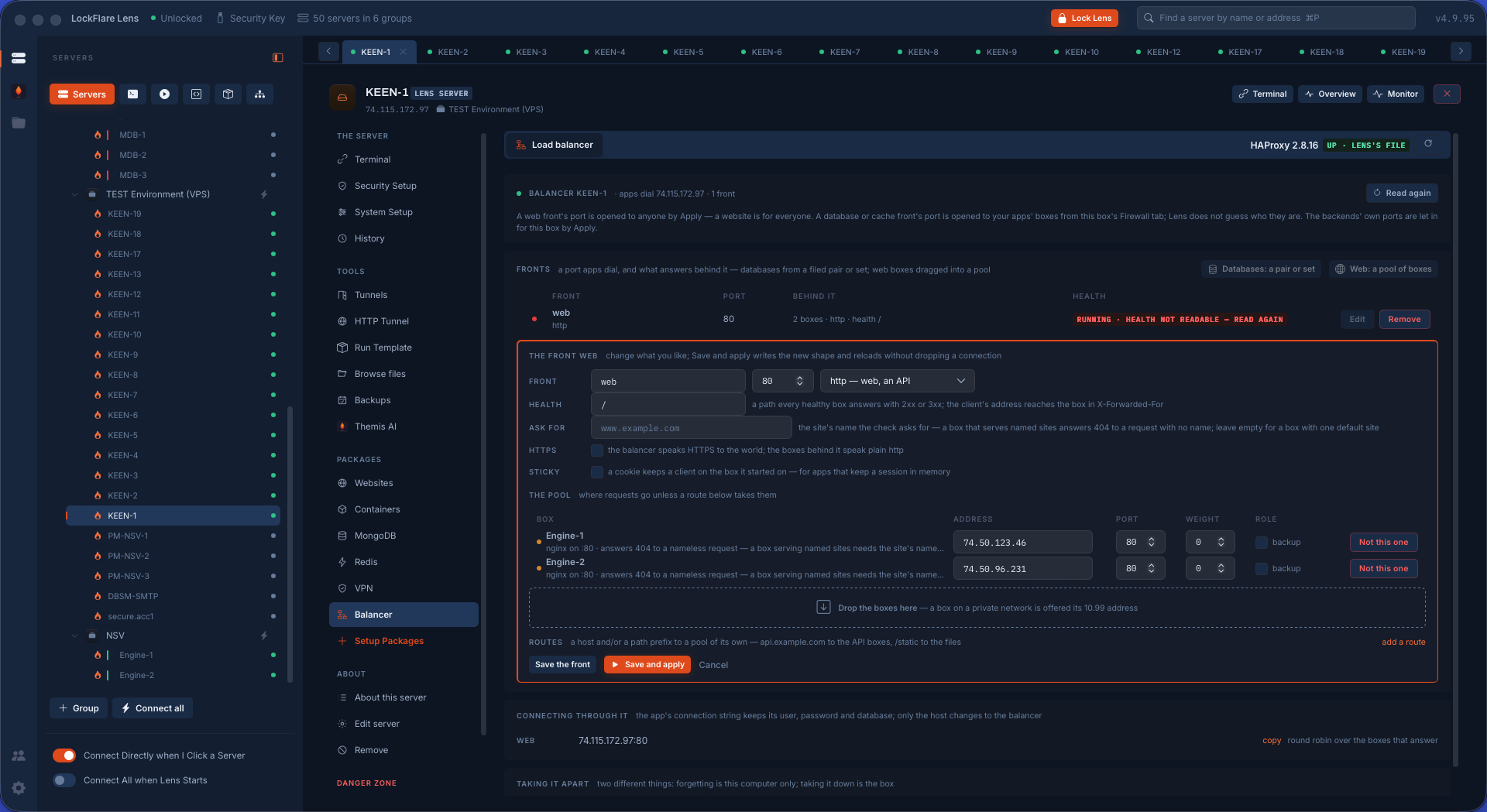
A load balancer that follows your primary
One box runs HAProxy and its fronts are filed in Vigia. A front drawn from a database pair or set is filled from that filing — a writes port that always reaches the primary, a reads port over the replicas — and is repointed by the same job that moves a primary, so apps that dial the balancer never learn there was a switchover. A pool front is a list of web boxes behind one address, each checked every three seconds, HTTPS on the front with the plain-http redirect riding along.
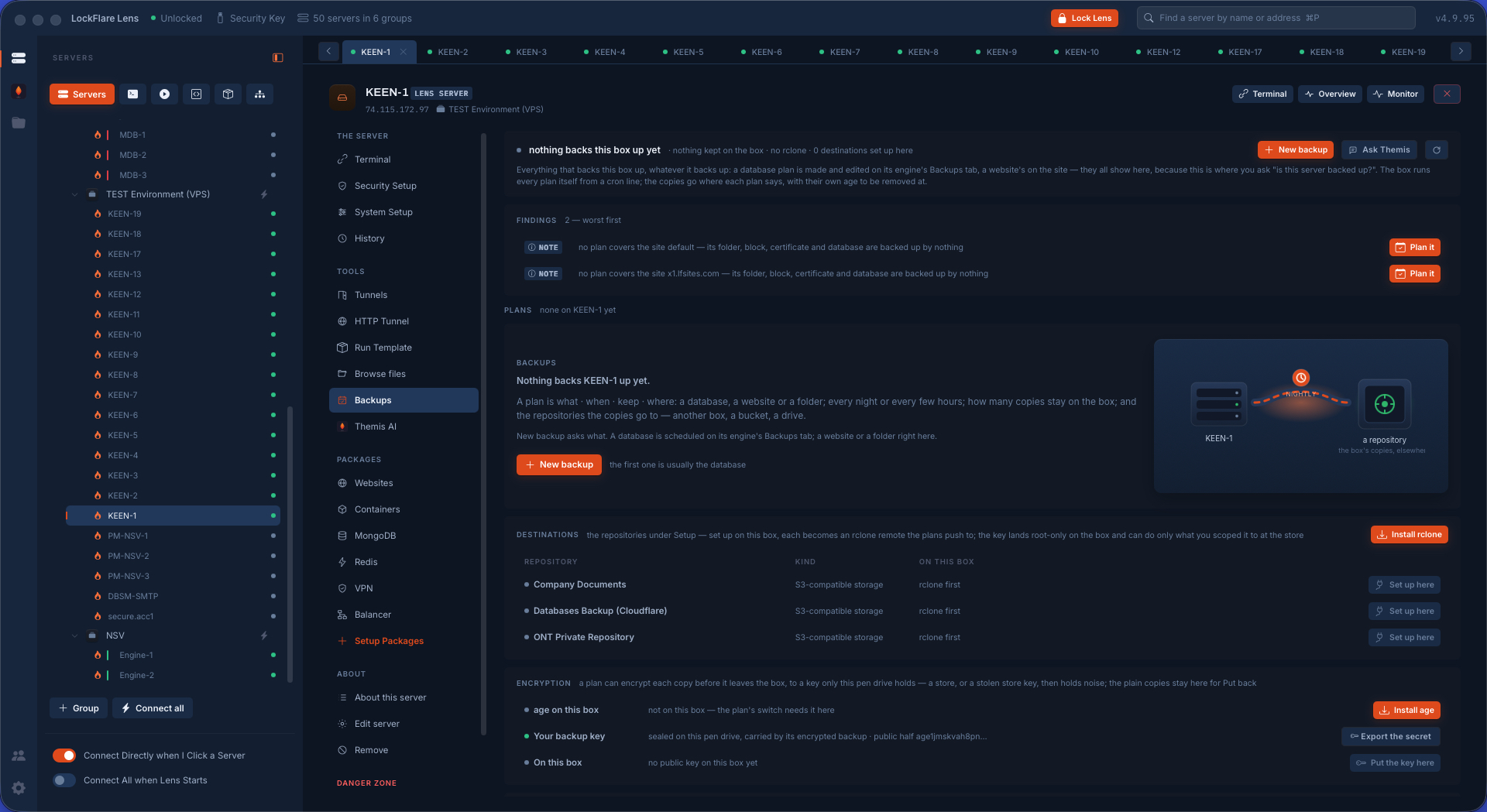
Backups that need nothing from your computer
The box is the record. Every plan is two files on it and a cron line; the runner lives there too, so a backup at 3 am needs nothing from Vigia. What: a folder, a website, a database, mailboxes. When, keep, where: the repositories you described once under Setup — S3 and its houses, Azure Blob, Google Cloud Storage, SFTP, FTP, WebDAV, SMB, NFS, another server on the map, a folder on your computer — set up on the box as rclone remotes scoped to their own prefix.
Encrypted before the push: what a store receives is unreadable without your key. Bring back lists what every destination holds for a plan, newest first, pulls it, opens it with your key and places it where its kind's Put back looks. A mail from the box when a run fails.
Taking it off again
The uninstall ceremony
Touch ID, the warning that says what goes and what stays — the program only, or everything — what the package manager says would actually go, the phrase typed by hand, and Touch ID again from inside Vigia so no screen can skip it. For one box, never a group.
Undo everything Vigia did
The tools it installed, taken off in dependency order with the firewall and Fail2Ban last so the box is never left unfiltered, and every file and service it wrote. Nothing else: not the kernel, not a package Vigia did not install, never an account.
Every package, documented
What each install writes, which files Vigia owns, what the tool reads and refuses.