The chairs in the Servers section
Terminals. Just shells: click a server on the left to open one here, split up to four on a screen, and one on this computer, side by side on one tab. No head, no rail.
Actions › Included Servers. The working set built by dragging from the tree — the tree is the palette, the pane the board. A server becomes a card, a group its servers' cards, the whole map at once; a card is coloured by one thing — can Vigia reach the box: green a live shell, yellow a saved login being tried, red "you will have to log in yourself" (a door to the connect form). Boards are saved by name (40) with a line (100), loaded, cleared; with thirty of them the shelf folds and a filter appears.
Actions › Execute. One line, every server on the board, the answers side by side. A rail of the questions a Linux admin asks a fleet most mornings (uptime & load, disk, memory, busiest processes, failed services, OS & kernel, listening ports, recent logins, who is on, restart needed, recent errors, refresh package lists) plus the operator's own snippets, each a preset that fills the box — picking never runs, what goes out is always in front of you. "As root" takes the same sudo path every root action takes; sudo typed into the box is stopped and explained. Rows land as they finish, failed ones open by default.
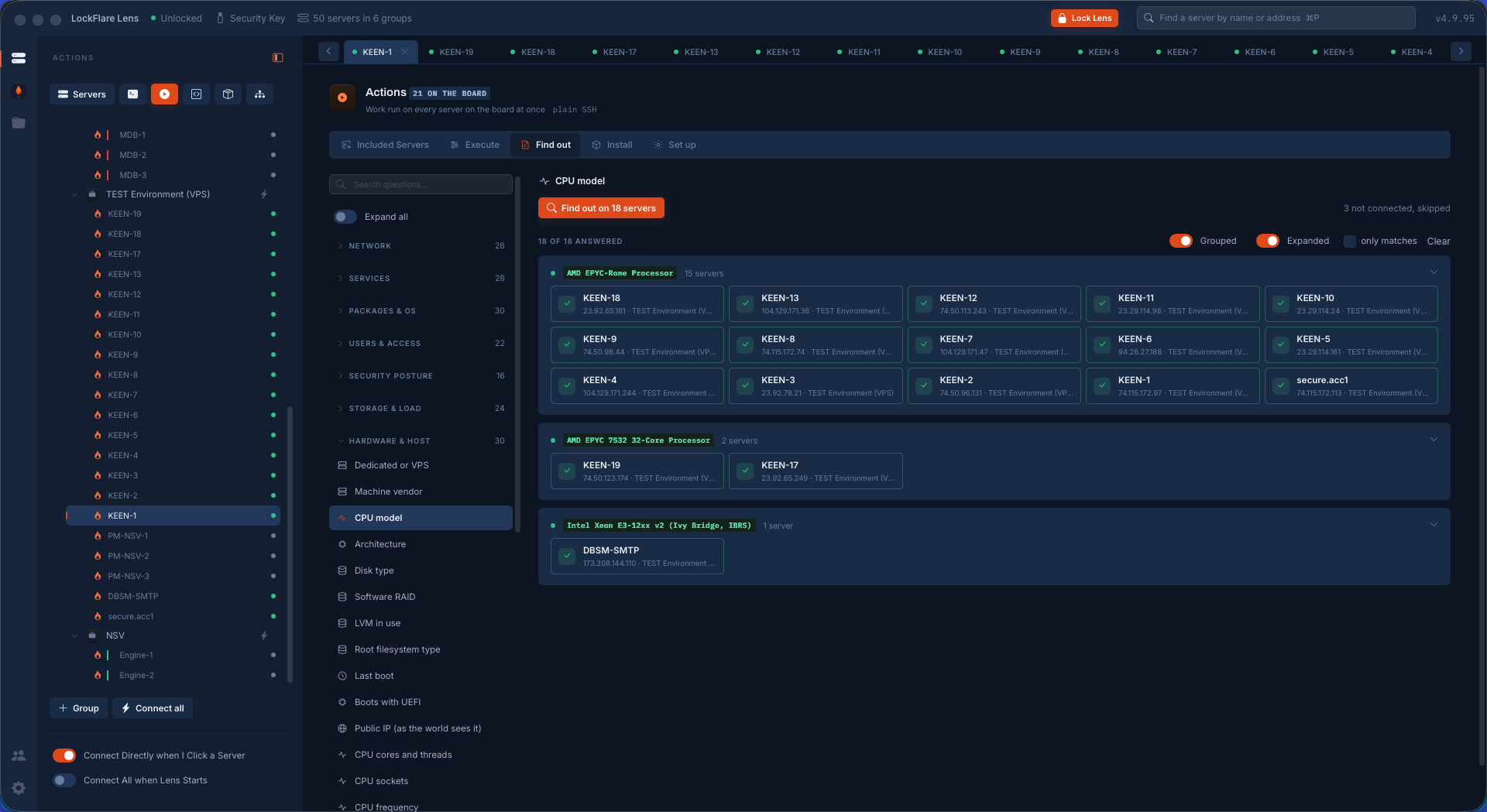
Actions › Find out. A question asked of every server on the board, answered as one value per server through the question's own parser — "port 21 open" comes back as yes/no and a list, not ss output — with the hits marked and counted, grouped by answer biggest group first (six distinct CPUs is the finding, not thirty-six rows). A catalog of 209 curated questions folded into Network, Services, Packages & OS, Users & access, Storage & load, Files & time, As root, with a search box; what a question needs (a port, a package, a threshold) asked above the button; the raw output a click away.
Actions › Install. The plumbing a server should have, put on the ones that lack it: pick a thing — security (Fail2Ban, ufw, firewalld, CrowdSec, ModSecurity, unattended-upgrades, auditd, AIDE, debsums, the rootkit hunters, AppArmor, SELinux, pwquality), web (nginx, Apache, Caddy, PHP-FPM, certbot), FTP (ProFTPD, vsftpd), system (chrony, rngd, the acl tools, the disk tools) — never MongoDB, Node or app software — and every server on the board is asked whether it has it — two columns, has it and does not — an Install button per row and one on top for all; the same root job the server's own tab would start, watched here, the row asked again afterwards so it says "installed · running" from the box's own mouth.
Actions › Set up. One change, the same on every server on the board, through the same one door the server's own tab uses: add a user (password, a pasted public key, or a key pair made here with the private half saved where the panel says and never kept), give or take sudo, add an SSH key, lock/unlock, delete, add a group, put a user in a group, grant a folder, open or close a firewall port (the box read first, ufw on ufw and firewall-cmd on firewalld, SSH never stripped), turn the firewall on, set up Fail2Ban, harden sshd, run as a service, automatic updates, set the timezone, turn NTP on. Twelve at a time, a row per server saying what happened, sudo per row when a box asks.
Snippets. The commands worth a name: one line or a short && chain, a name, a line about it, and whether it wants root. Made, edited and forgotten here; run from Execute and from every terminal's own bar. Kept under this key; another drive sees them and cannot run or edit them.
Server Templates — the builder. The hardening playbook as a workflow on a canvas: a palette of curated actions (set values, ask for values, update & upgrade, install or remove packages, nginx or Apache, kernel hardening, keep my IP on SSH, harden SSH, add a user, firewall baseline / open / close, install the WAF, install FTP, the audit tools, the integrity tools, enable AppArmor/SELinux, automatic updates, timezone, control a service, swap, wait, restart, log out, log in, end, and a custom script) and conditions that branch Yes/No (a package present, a service running, a user exists, a port answers, SSH answering, a file exists, a custom check read by its exit code). Drag or click to place, click to configure in the panel, wire by dragging a port or click-port-then-node, one wire per logical port, pan and zoom, fly back to Start. A library of shipped templates (Baseline, Web, Data, Security, Ops) opened as a new template of the operator's; templates saved on the map and key-stamped, no secrets.
Server Templates — the runner. A template walked on a real box top to bottom as the canvas watches, owning the whole screen with a veil, the flow lighting up node by node, the box's own words beside it, Cancel the one way out until Close. Actions run as root through the same sudo path; conditions are read by exit code; Wait sleeps; Restart reboots and the session is understood gone; "SSH answering?" is a TCP knock; Login opens a new session and the run continues on it. The run pauses for values (Ask for values is asked all at once before the start), for a host-key decision, and on a failed step (retry, skip, stop). {{my_ip}}, {{hostname}}, {{os}}, {{fw}} and the rest are known to the runner. Steps are Debian/Ubuntu shaped; a box that is not says so at the first step that fails. What the box remembers of past runs is read from /var/lib/lens on it.
Server Templates — run in fleet. The same template on several boxes at once: tick servers from the tree (a dot for what each has — a shell, a saved login, nothing), the template's questions asked once for the whole fleet, then one run per box in parallel drawn as a board — one column per step in flow order, one row per box, each cell the step's state (done, failed, waiting on you, running, skipped, not reached); Watch on a row opens that box's own run overlay.
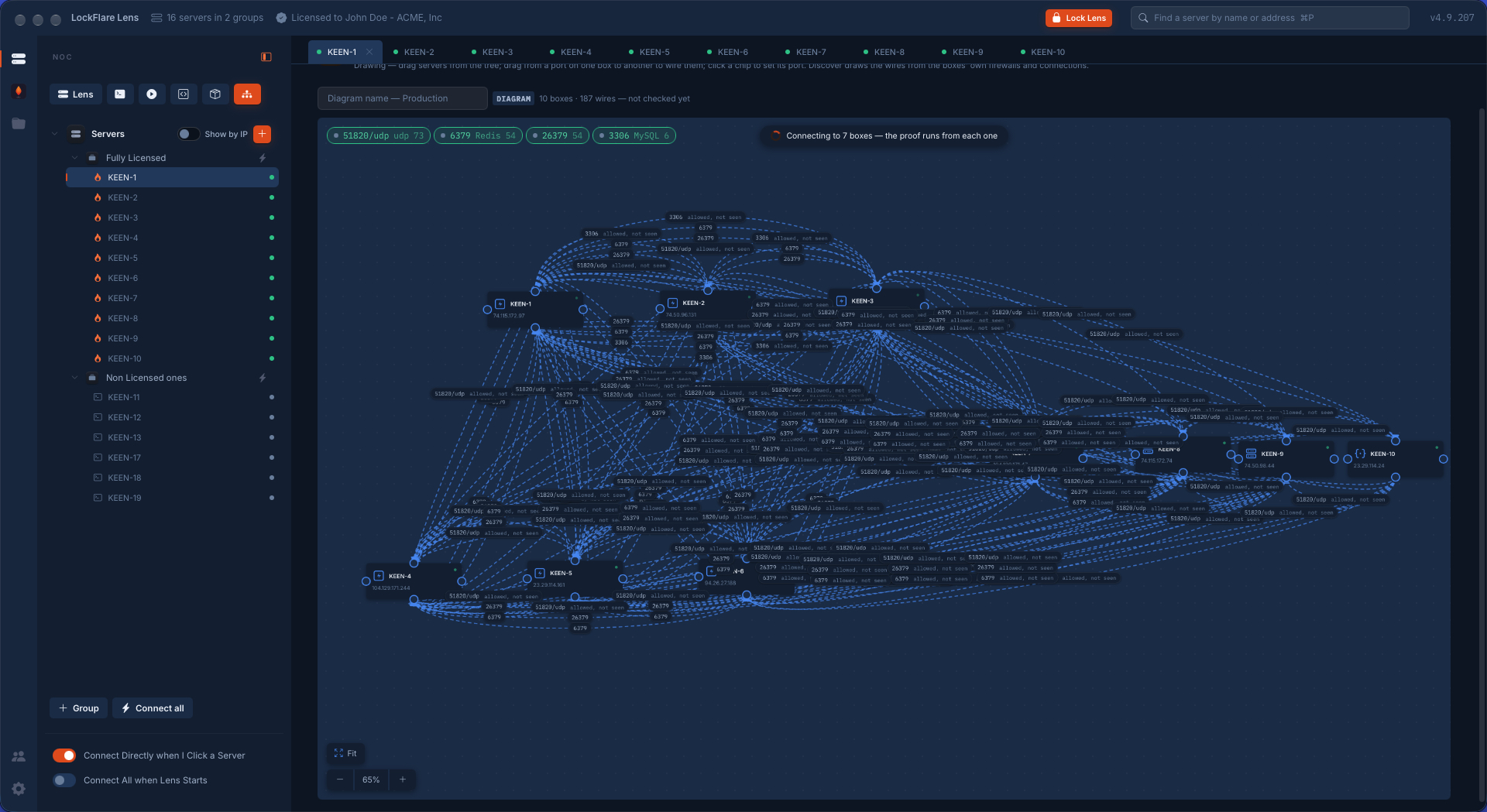
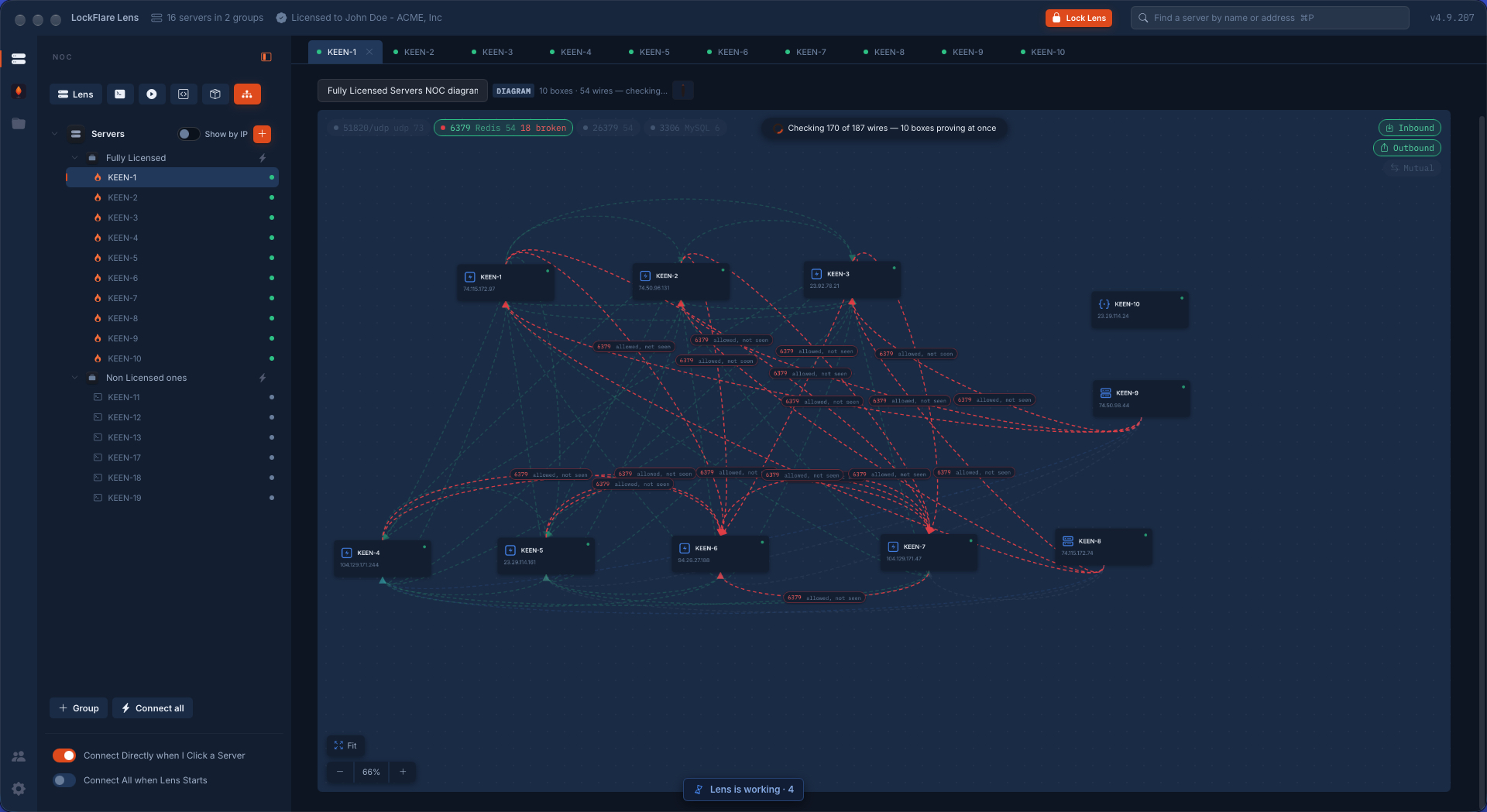
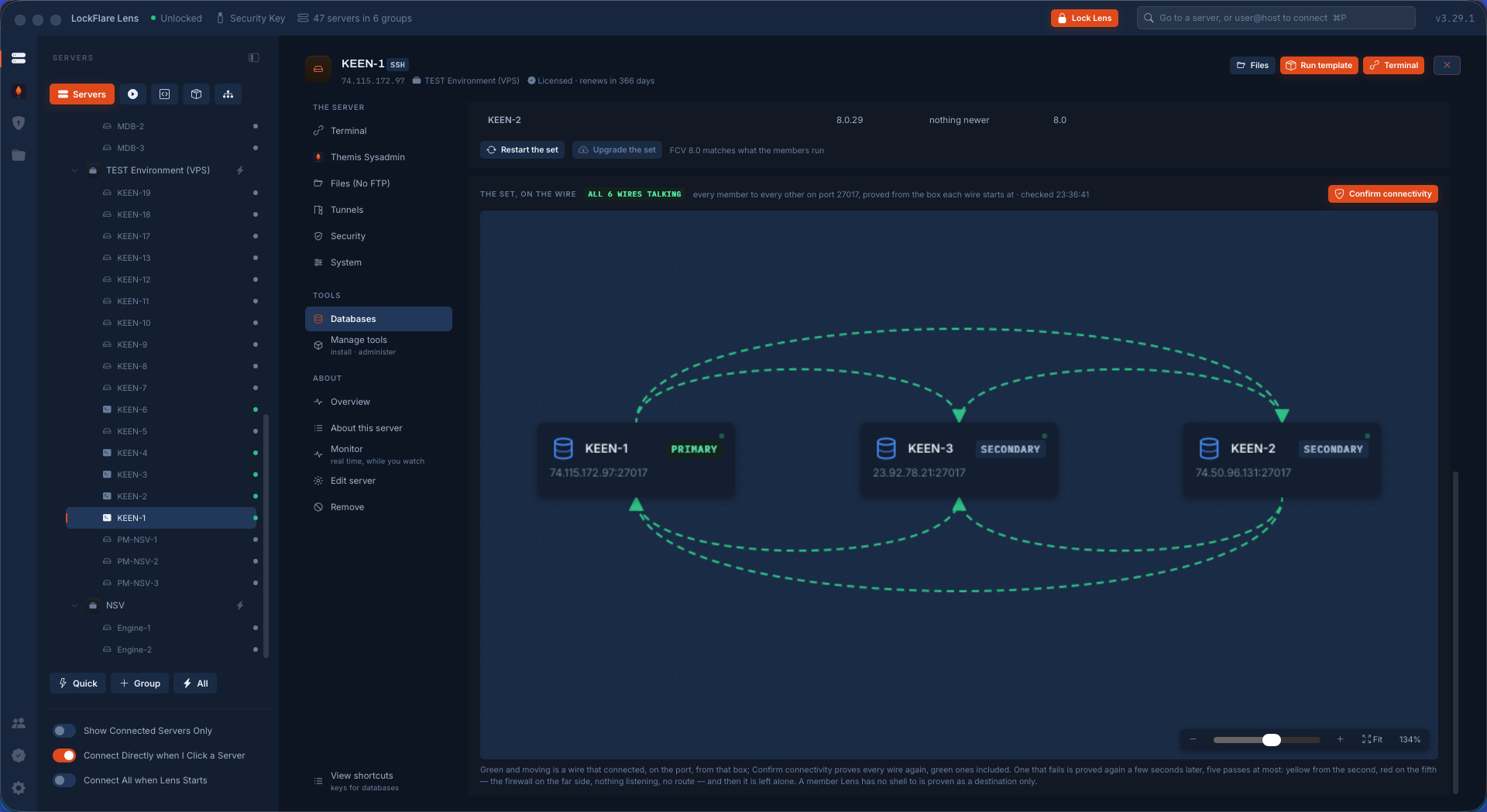
NOC. The map drawn as boxes with the ports they talk on: a node is a server dropped from the tree (its role icon read from what it listens on), a wire is "A talks to B on 27017/tcp" with the port as a chip. The drawing is a CLAIM and Check proves it: every wire is tried FROM the box the traffic starts at — reach (the source opened a TCP connection), listen (something on the destination listens on that port on an address the source dials), allow (the destination's firewall lets the source in) — green, amber or red with the failing fact in words; nothing is checked from this computer. Diagrams are saved like templates (key-stamped, no secrets); wires between the same boxes fan out, same-side wires arc over; a box under the mouse lights its wires; port chips tag what the picture is about; floating terminals over the canvas; a box or a wire opens in a side lightbox with Ask Themis carrying the diagram as background. Only servers Vigia can log into are on a diagram, which is what makes every wire provable.
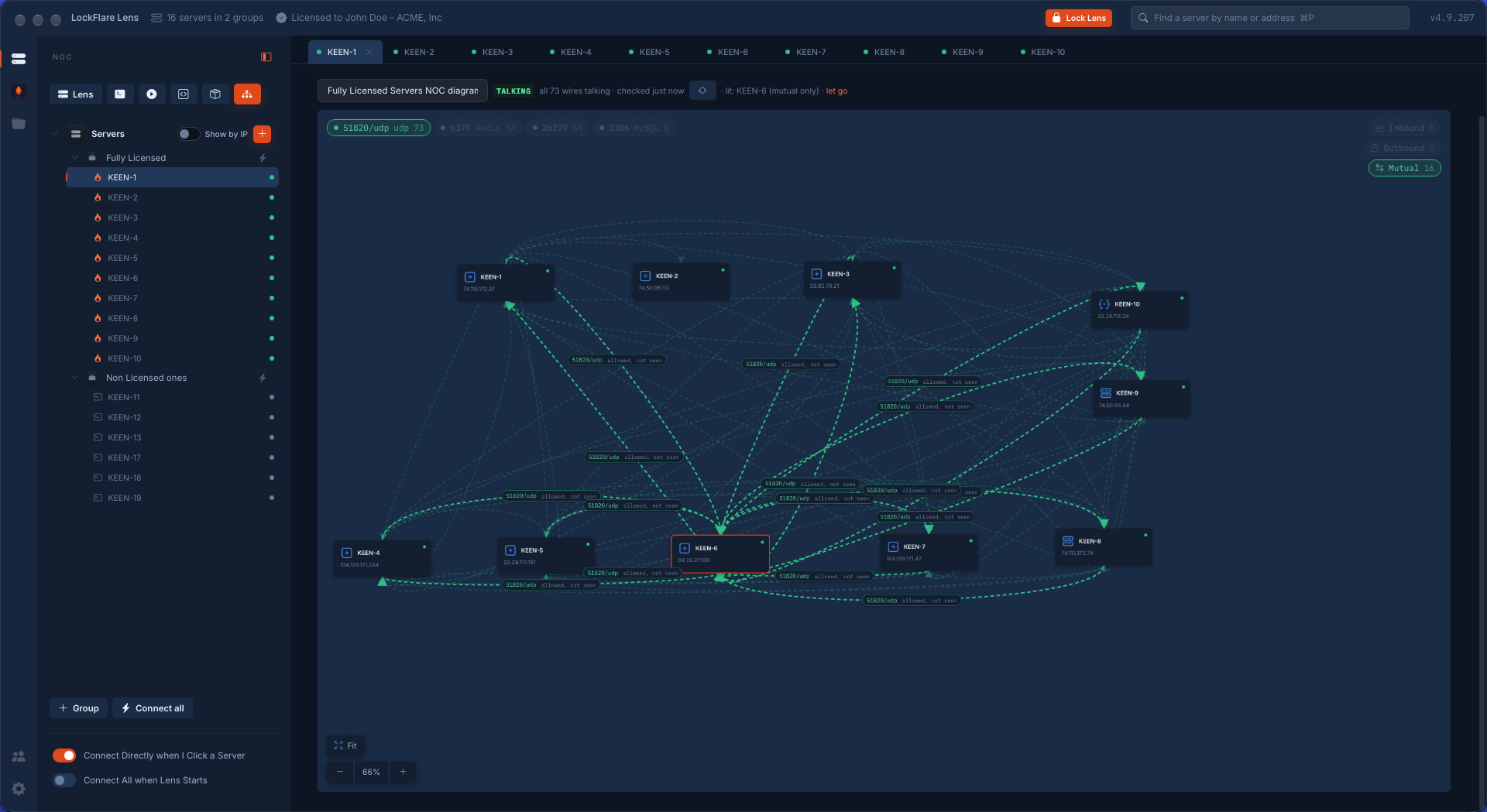
Discover, Run, and lighting a box. A diagram need not be drawn: Discover asks two witnesses on every box and merges them — the FIREWALL (an allow rule on B for a port from A's address is the wire A → B: the topology as it was intended) and the CONNECTIONS (an established connection on B from A to a port B listens on is the same wire: the topology as it is). A wire both saw is the strongest kind; one only the firewall saw is labelled "allowed, not seen", a door nobody walks through; one only the connections saw is traffic no rule names. A saved diagram opens in RUN and proves itself, every box checking its own wires at once: what works is barely there, a broken wire is red and loud, and the head says "all N wires talking" or how many are broken and which. The ports in the picture are chips with their counts — press one and the diagram is about that port alone. Click a box to light its traffic (several may be lit); Inbound and Outbound choose which of its wires light, and Mutual lights only the wires where the peer talks back on the same port — a replica set, a cluster, a mesh. The whole tool on real screens: The NOC, end to end.