Files (the activity)
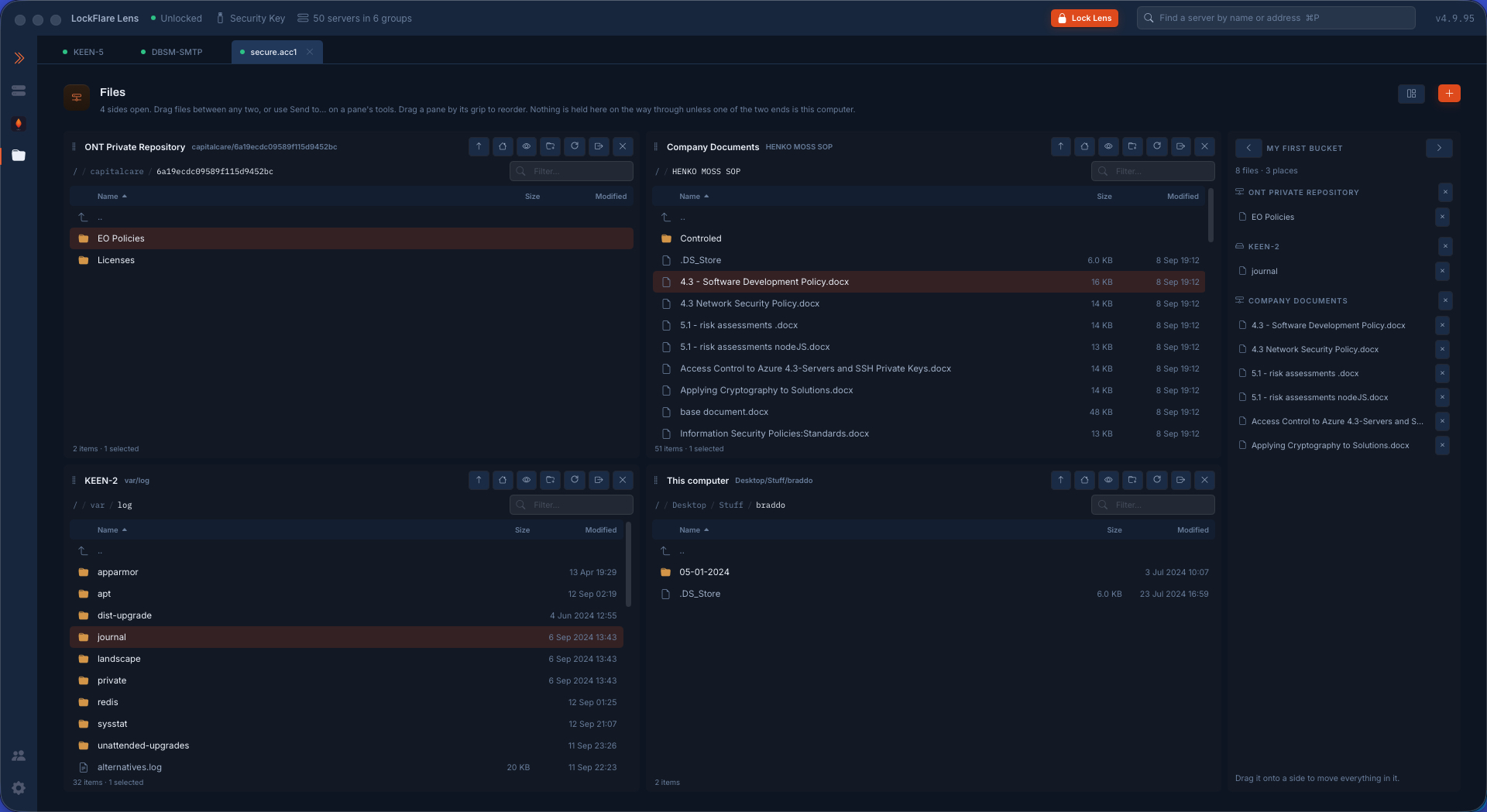
One screen, six panes. This computer, any server on the map, and every repository described in Setup, each a pane with the same shape — selection, sorting, crumbs, renaming, filter, context menu, a drag handle at the leading edge. Any pane to any pane is one copy call (upload, download and repository-to-repository are the same feature); layouts of up to six panes offered as every shape that leaves no column empty; Send to… names the destination instead of pointing at it. A copy runs as a job on the head's line, never blocking the panes, with its output kept on failure and Stop asking first (what it costs is one part-written file on the far side).
Repositories, browsed. A repository (S3-compatible and its houses, Azure Blob, GCS, SFTP, FTP/FTPS, WebDAV, SMB, NFS, a server on the map, a folder on this computer) is described once and named in Setup, then browsed here — Vigia speaks each protocol itself; a kind Vigia cannot open yet is left off the picker rather than refused at the click.
Deployments. The second page of the Files activity, under Browse files. A deployment is a RECIPE kept in the map (it rides the key's encrypted backup): a name, and one or more ROUTES — these folders on this computer → these servers, or whole groups (a ticked group is whoever is in it on the day) → this folder on each → with commands run before and after. For each source folder the recipe says how it lands — what is inside it, the folder itself, or into a subfolder that is named — and shows the answer as a real path. One ignore list for the whole deployment, starting with version control, node_modules, logs and .env, and the operator's to empty. It is not only for code: a built website, configuration for a fleet, scripts, certificates and folders of assets are sent the same way.
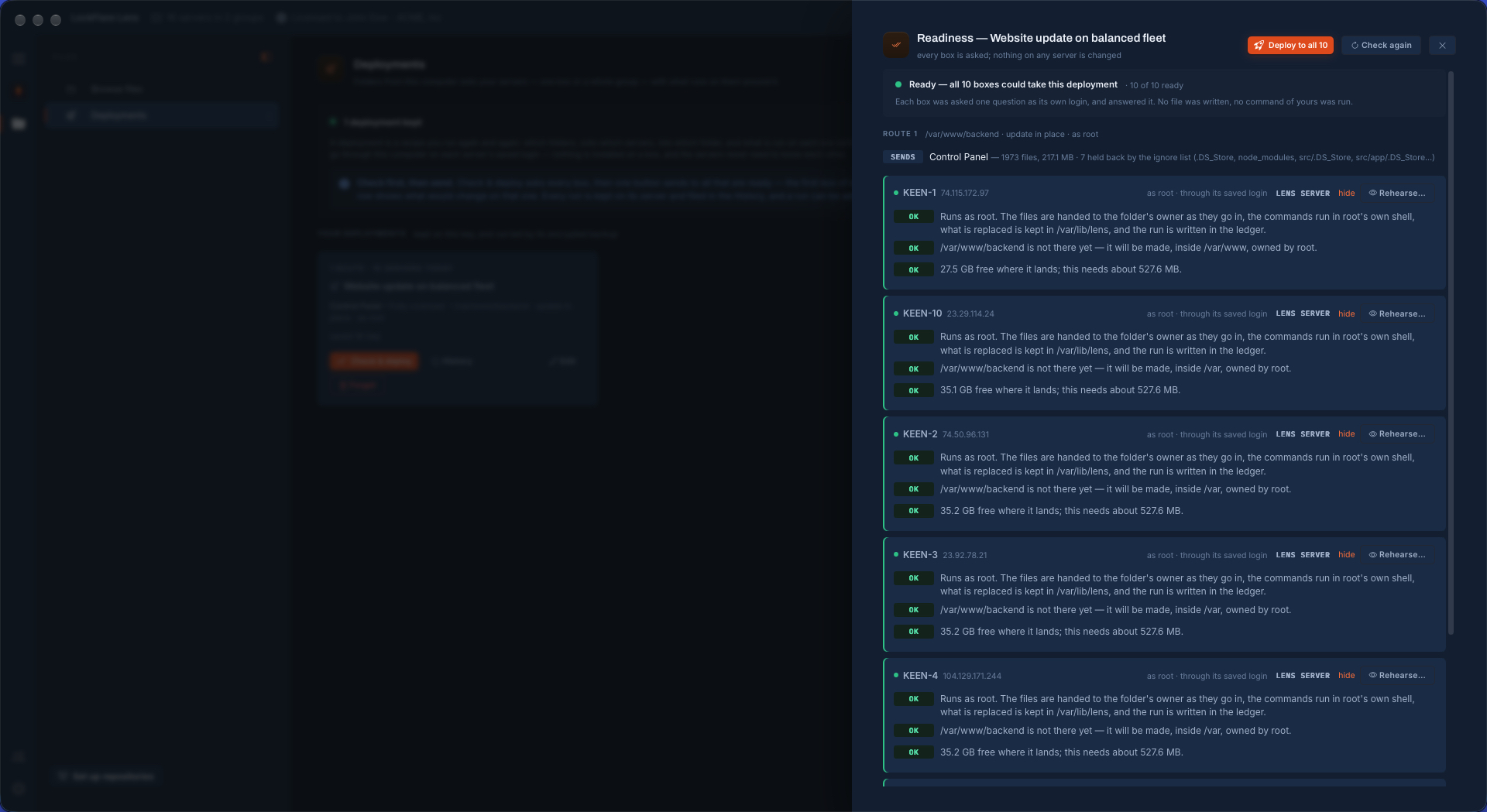
Per route: Into (an absolute folder; with "If destination does not exist, create it" off, a box that lacks the folder is a line on the readiness list and nothing is sent to it, which is what catches a typo in the path); As the login (what that login could do by hand, on a console as well as a Vigia server) or root (a Vigia server feature: root obtained the way Vigia obtains it everywhere, every file handed to the folder's owner as it goes in — a replaced file keeps the owner and mode it had — the commands run in root's own shell, the run written in the ledger and the box's journal); How, Update in place (changed files put over what is there, nothing else looked at, nothing ever deleted) or Replace the whole folder (a complete new folder built beside the old one, unchanged files copied across on the box itself, EVERY file verified, the box's own carried-over things MOVED across, two renames, the old folder kept whole). Some destinations are refused whatever is typed: the root of the disk, a top-level folder, the system's own trees; and for a replace also anything inside /etc, a folder that holds other things' folders, and a home directory.
Check & deploy asks every box of every route at once, as its own login, and changes nothing: can the login write the folder and who owns it, is it there, is there room for the new files AND what they replace, are tar and sha256sum there, are the programs the commands call on the box — looked for in the login's own interactive shell, where a program under a version manager lives — and would a sudo in the commands wait for a password. One list, worst first, the fix beside each line; on a Vigia server a line that is the login's problem and not the box's offers Run this route as root as a button. A box that is not ready is left out BY NAME, and the one button reads Deploy to the N ready.
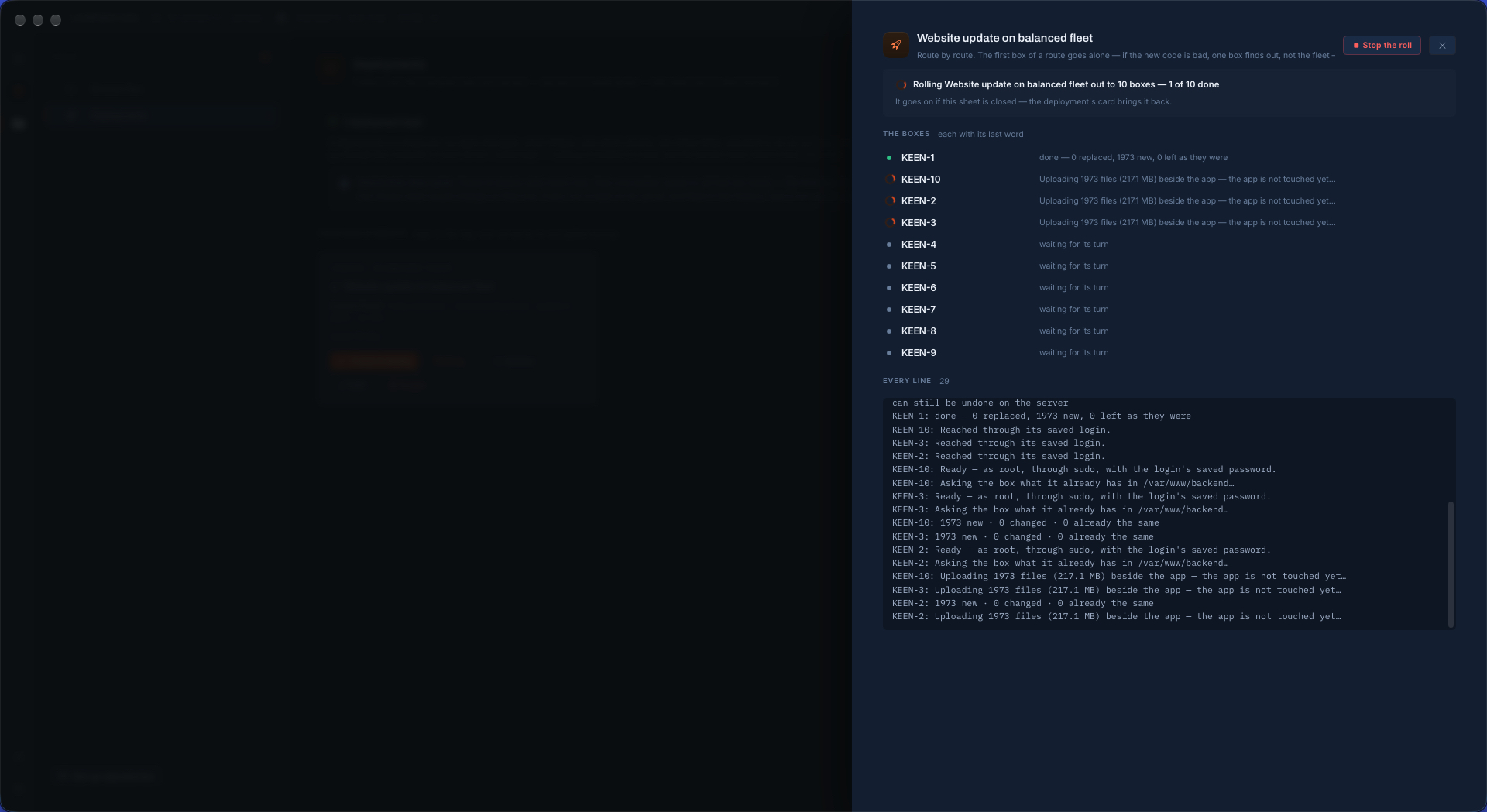
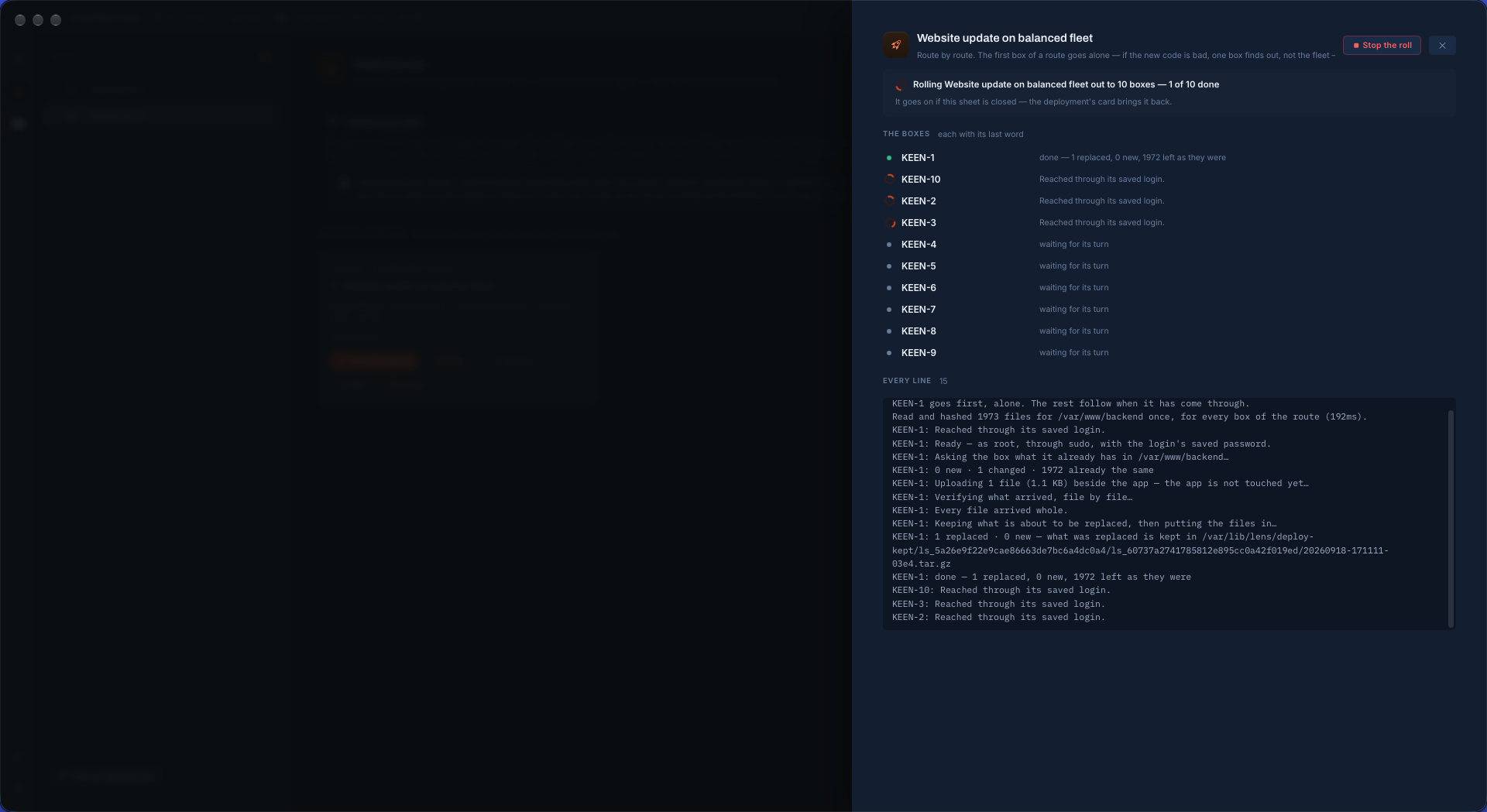
The run, on each box, in this order: what is new or changed (by SHA-256 of the content, never dates or sizes — and only the paths being sent are hashed on the box) is uploaded into a holding folder BESIDE the destination and verified there file by file; the commands before run; what is about to be replaced is kept in one compressed file, with the list of what the run creates; each file is renamed into place, a whole new folder moved in with one rename; the commands after run. The live folder is never touched by the network, and if putting the files in fails half-way Vigia restores that box by itself. The roll: route by route, the first box of a route ALONE, then a batch at a time (three unless set otherwise), stopping at the first failure — boxes already working finish, none is started after, and each that never had its turn is said to have been skipped. A route's files are hashed ONCE per roll and every box is judged against that one list. A single box opens on a REHEARSAL first — new, replaced, left alone, how much goes over the wire, and for a replace what is carried over and what is left behind, by name — read and never written; the button to send is on that sheet.
History and undo. What each run did on each box, the last twenty runs of a deployment. Undo this run on the server(s) — one box, or a whole roll from the History — restores what the run replaced, removes what it created with the folders it made (only while they are empty), and runs the commands around it; for a replace, the carried things move back with whatever was written to them since and the folders are swapped back. It happens on the server and never touches this computer's files, and a whole-roll undo does not stop at a failure. How many runs stay on each server is set per deployment (0–5; empty is five for an update in place, three for a replace; 0 keeps nothing and a replace then deletes the old folder once it has worked), and a box's kept runs show what each weighs. Kept under ~/.lens/deploy-kept for the login and /var/lib/lens/deploy-kept for root. The whole tool on real screens: Deployments, end to end.